AERONET Instrument Troubleshooting Interface - Solutions for WAVELENGTH OUT OF SPECTRAL DEPENDENCE Flag
Description AOD across all measurement wavelengths should follow a smooth, monotonically decreasing curve described by the Angstrom relationship. This flag is raised when one or more wavelength channels deviate significantly from that expected curve. Departures in a single channel typically indicate that the optical filter at that wavelength has degraded or accumulated internal dust; departures in the 1020 or 1640 nm InGaAs channels are more likely caused by a collimator obstruction.
Condition(s) 1. A filter in one or more wavelengths may degrade to lower transmittance and this results in a biased AOD in that wavelength that does not fit the linear Angstrom fit or the 2nd order Polynomial fit of AOD versus wavelength in logarithmic coordinates.
2. Internal dust inside the sensor head may be deposited on some filters much more than others resulting in a biased AOD in that wavelength(s) that does not fit the linear Angstrom fit or the 2nd order Polynomial fit of AOD versus wavelength in logarithmic coordinates.
3. If the 1640 and/or 1020 nm InGaAs are the wavelengths with significant spectral departure then there may be a collimator obstruction in one of the collimator tubes or something on one of the sensor head lenses (windows).
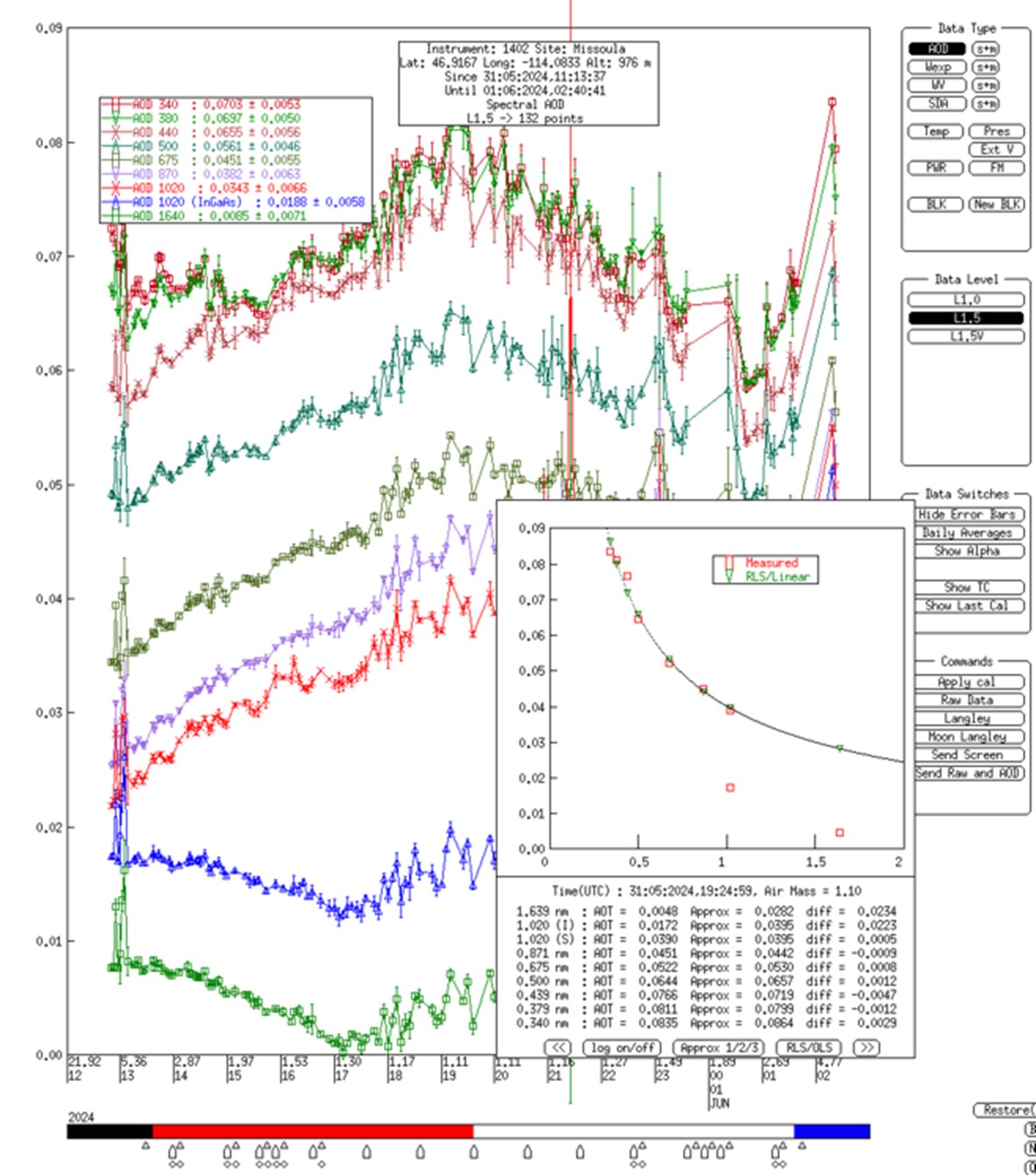
How To Check/Test This example plot is from the Missoula site. The departures of AOD from the linear (Angstrom) fit are ~0.02 in both InGaAs channels (1020 and 1640 nm), and this automatically triggered the spectral dependence flag.
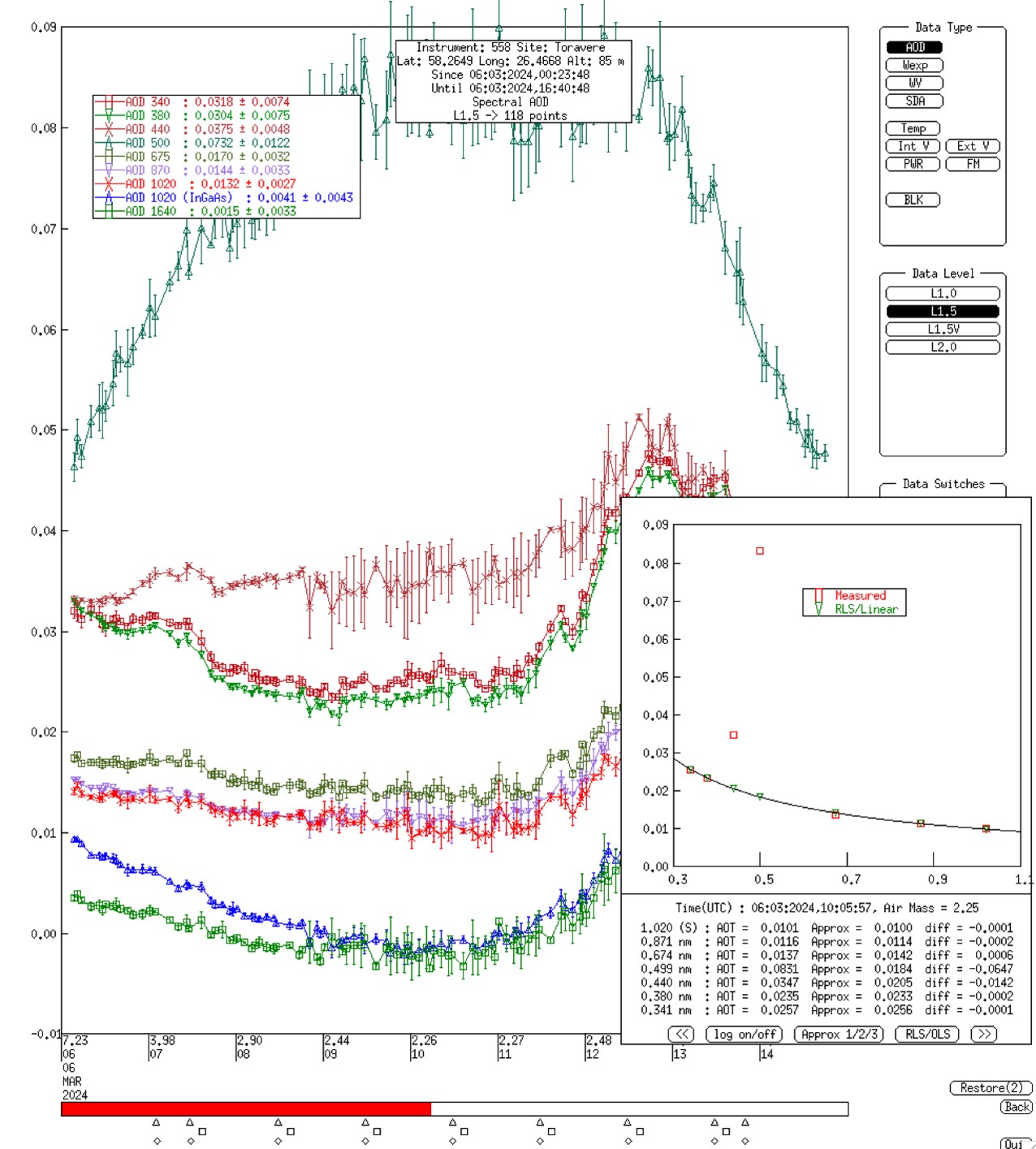
This example plot from Cimel #558 at the Toravere site shows the more typical case of a single channel that is an outlier in the linear Angstrom fit. This anomaly occurred even after the post-deployment calibration.
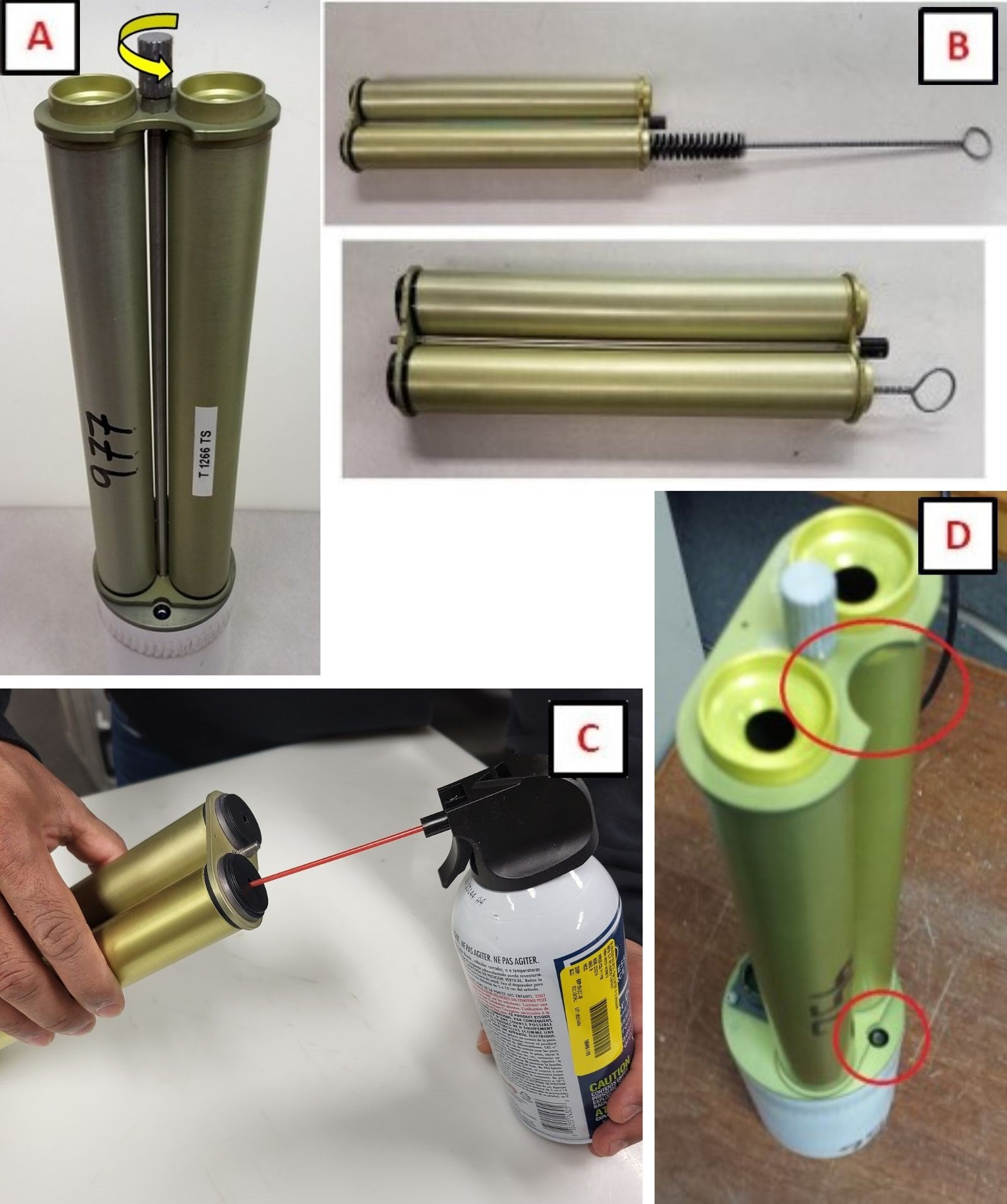
Solution Level 1 (< 5 minutes) For the InGaAs issue described in Condition 3, the Site Manager (SM) may try cleaning the collimators by following these steps (more info contained in this guide):
1. Remove the collimator by turning the tightening screw counterclockwise until it is detached from the sensor head. 2. Check inside for webs or other obstructions. If found, gently clean the collimator interior using a soft bottle brush, taking care not to dislodge the baffles inside the collimator. A compressed air duster, although not mandatory, will ensure that even small dust particles will not remain in the collimator. 3. Attach the collimator to the sensor head by tightening the screw clockwise. Be mindful of the proper installation orientation shown in the figure.
Solution Level 2 (more involved) If cleaning the collimator does not resolve the issue, the next step would be to inspect the lenses for significant contamination or residue (requires collimator removal). If found, do not clean. Take photos of the lenses and send to AERONET for evaluation.
Solution Level 3 (last resort) 1. If the filter that is out of spectral dependence is a key wavelength (i.e. 440, 675, 870 or 1020 nm) then the instrument should be returned to GSFC since neither of the Conditions 1 or 2 of this issue can be resolved in the field. This is particularly the case if the departure from wavelength dependence is >0.03.
2. If the 340 and/or 380 nm filters are out of spectral dependence, then the threshold for returning the instrument to GSFC is greater: departures > 0.07. This is due to the continuing history of the UV filters in AERONET being significantly less stable in time than all other wavelengths in addition to greater initial cal uncertainty.